Your report shows fewer visits from AI assistants this week. Before rewriting pages or changing your GEO strategy, establish what fell: visits, recognised sources, or the number shown by a particular report.
Those are different problems. A content change will not fix a reporting filter, and an attribution change does not tell you whether an AI platform stopped recommending your business.
Here is the investigation I recommend. It is a diagnostic workflow, not a claim about results from a client experiment.
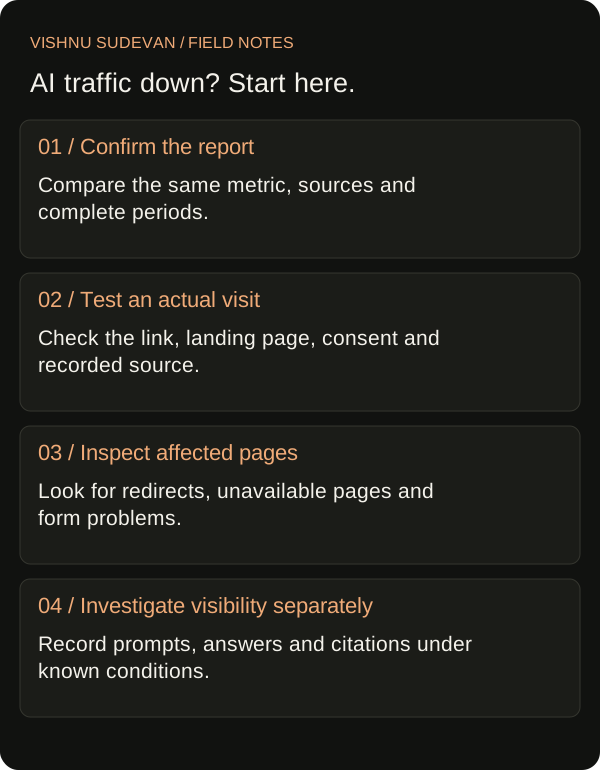
Start with the exact claim your report supports
“AI traffic is down” leaves too much room for interpretation. Write down the metric, reporting dimension, dates and filters first.
A more useful statement would be:
Sessions classified as AI Assistant in this report fell during the selected comparison period. We have not yet established whether the change reflects fewer visits or different attribution.
Save an export or screenshot before changing the report. Record any custom rules used to define AI traffic. This gives you a starting point you can reproduce instead of comparing two dashboards that quietly use different definitions.
Also check whether you are comparing complete periods. A partial week against a full week can create a problem that disappears once the dates are aligned.
Where should you look for AI traffic in GA4?
Google’s current documentation includes an AI Assistant default channel for sources such as ChatGPT and Gemini. It excludes Google’s AI Overviews and AI Mode, which are included under Organic Search. The documentation also distinguishes session acquisition from first-user acquisition. Check the dimension used by your report before comparing it with another view. Google Analytics channel definitions
For this investigation, start with a session-based view and retain the source detail beneath the channel label. Your working question is: which recorded sources contributed to the change?
Do not combine an AI Assistant total with all Google organic traffic and describe the result as visits from AI answers. That would include traffic your report has not identified that way.
Check the report before diagnosing the website
Work through these questions with whoever owns analytics:
- Are both periods using the same metric and dimension?
- Are the same source filters, exclusions and custom groupings applied?
- Did someone change the report or its source list?
- Are the dates complete and comparable?
- Is the change concentrated in one recorded source or spread across several?
If you have a custom AI traffic report, document its rules. A list created months ago should not be treated as a complete inventory of every possible AI referral source.
Keep the original report alongside any revised version. If a rule changes, label the change so a later reviewer knows why the totals differ.
Trace one visit from the answer to the landing page
A controlled click test can help you locate a problem. It cannot tell you how every visitor reaches the site.
Choose an actual source link in an AI answer and record the conditions of the test: platform, website or app, browser, date and destination page. Follow the link normally. Record the destination URL and any redirects you can observe.
Then ask the analytics owner to check the corresponding visit using an appropriate testing view. Follow the site’s normal consent process; do not bypass it to manufacture a cleaner test.
Use this small record:
| Check | What to record |
|---|---|
| Starting point | Platform, interface and the answer containing the link |
| Link destination | URL before the click, where available |
| Landing page | Final URL after redirects |
| Tracking conditions | Consent choice and whether the analytics tag was allowed to run |
| Recorded visit | Whether the visit appeared and how it was labelled |
| Limitations | Anything the test could not establish |
If the visit is missing, investigate collection before drawing conclusions about its source. If the visit appears under an unexpected label, investigate attribution and reporting. If both look correct, continue with the wider trend.
Keep test visits out of any claim about customer demand.
Compare landing pages, not just the headline total
Once the report is consistent, identify which pages account for the change.
A drop affecting one article calls for a different investigation from a drop across every landing page. For the affected pages, check recent edits, redirects, availability and changes to the next step offered to readers.
Build a short investigation table rather than collecting unrelated screenshots:
| Page | Observed change | Recent site change | Next check |
|---|---|---|---|
| Main service page | Fewer recorded AI sessions | None confirmed | Review sources and repeat a click test |
| Supporting guide | Fewer visits across several channels | URL changed | Check redirects and destination availability |
| Booking page | Fewer completed enquiries | Form edited | Test the form separately |
These rows are fictional examples. Their purpose is to show how each observation should lead to a specific check.
Avoid filling the “recent site change” column with guesses. “None confirmed” is useful because it keeps an assumption from becoming the explanation.
Keep citation observations separate
If you suspect that the site appears less often in AI answers, collect evidence for that question directly.
Use a defined set of relevant prompts. Record the platform, visible mode, dates, answers and cited URLs. Keep the conditions as consistent as possible and repeat the observations. Distinguish a citation to the affected page from a citation to another page on your website.
A referral report and an answer sample describe different parts of the journey. A citation observation does not record a visit, and a recorded visit does not reconstruct every answer a person saw beforehand.
My article on content audits and citation evidence explains how to keep these measurements separate when reviewing content changes.
What should you do with the findings?
Choose the response that matches the evidence you collected:
The report changed. Correct or document its rules, then establish a comparable view. Explain the reporting break before discussing performance.
Collection failed during testing. Give the analytics owner the affected page, test conditions and observed failure. Confirm the fix with another test.
A page or form has a problem. Repair that issue and record when the repair went live. Check the visitor journey again.
Comparable visits fell, with no confirmed tracking issue. Investigate the affected topics and sources. Use separate evidence to assess visibility and demand before deciding which content needs work.
The evidence is incomplete. State what remains unknown and assign the next check. Do not convert uncertainty into an estimated traffic loss without a defensible method.
Report what changed and what remains unresolved
A useful update to a client can be short:
We confirmed the decline in the same session-based report and identified the affected sources and landing pages. Our click tests found [observed result]. We have completed [action], and the next check is [specific investigation]. We have not yet established whether citation visibility changed.
Replace the brackets with actual findings. Remove the final sentence if you have already completed a separate citation investigation, and report that evidence instead.
This approach gives the client a decision and a next step. It also stops a tracking question from turning into an unnecessary content rewrite.
If you need help investigating a search-performance change, explore my SEO consulting work or book a 30-minute conversation.
Google Analytics documentation checked on 21 October 2026. The example table is fictional. This article describes a recommended diagnostic workflow, not client results.

Senior SEO, AEO & GEO consultant and practitioner. I write about search strategy, the tools I build and lessons from hands-on work.
More about my work →GET HELP WITH THE INVESTIGATION
Bring your report. Find the next check.
Discuss your search-performance questions and the evidence needed to investigate them.
Book a 30-minute conversationNeed help with a wider search challenge? Explore SEO consulting.