You open Search Console and see fewer mobile clicks this week. Desktop clicks have not fallen. The first thought is often, “Is our mobile site broken?” It might be. But the device chart alone cannot tell you that.
Start by finding the page and query behind the drop. Then check the mobile search result and the page itself. You may find a technical problem, a different mix of searches, or simply too little data to make a call.
Set up a fair comparison
In Search Console, open Performance → Search results. Choose the same search type, country and two complete date ranges for both devices. A seven-day week compared with a five-day partial week will produce a false alarm. The newest report data can also be preliminary, so check the report's last updated date and any dotted line before drawing a conclusion. Google explains preliminary Performance data.
Use Devices to compare mobile with desktop. Google's filter and comparison guide also explains how to select more than one device when you want combined data. For this investigation, keep each device visible separately: a combined total can hide a change in one group.
Write down the exact dates, property, search type, country and filters. Keep them fixed as you move through the report.
Which number actually changed?
Clicks alone are a starting signal. Add impressions, click-through rate (CTR) and average position, then ask a narrower question:
| Pattern in the same device | What to inspect next |
|---|---|
| Clicks and impressions both fell | Which pages or queries stopped appearing? Did demand or visibility change? |
| Impressions held, clicks fell | Which query or page lost clicks? Did the result look different or appear in a different position? |
| Clicks fell on one page only | Inspect that page's queries, mobile result and live experience. |
| Both devices fell on the same queries | Broaden the investigation; a mobile-only fix may miss the issue. |
These are investigation routes, not diagnoses. CTR is clicks divided by impressions. Average position is an average across the results in the selected view. Neither number proves why someone did or did not click. See Google's metric definitions before interpreting a small movement.
Find the page before changing the site
Select Mobile, then open the Pages tab. Compare the same periods and sort the pages by the click difference. Does one important URL account for most of the decline, or is it spread across the site? Once you have the affected URL, review Google organic landing pages in GA4 for recorded visits that began there.
Click the affected URL to filter the report, then open Queries. Compare the phrases that brought people to that page in each period. Keep the URL filter in place while you do this.
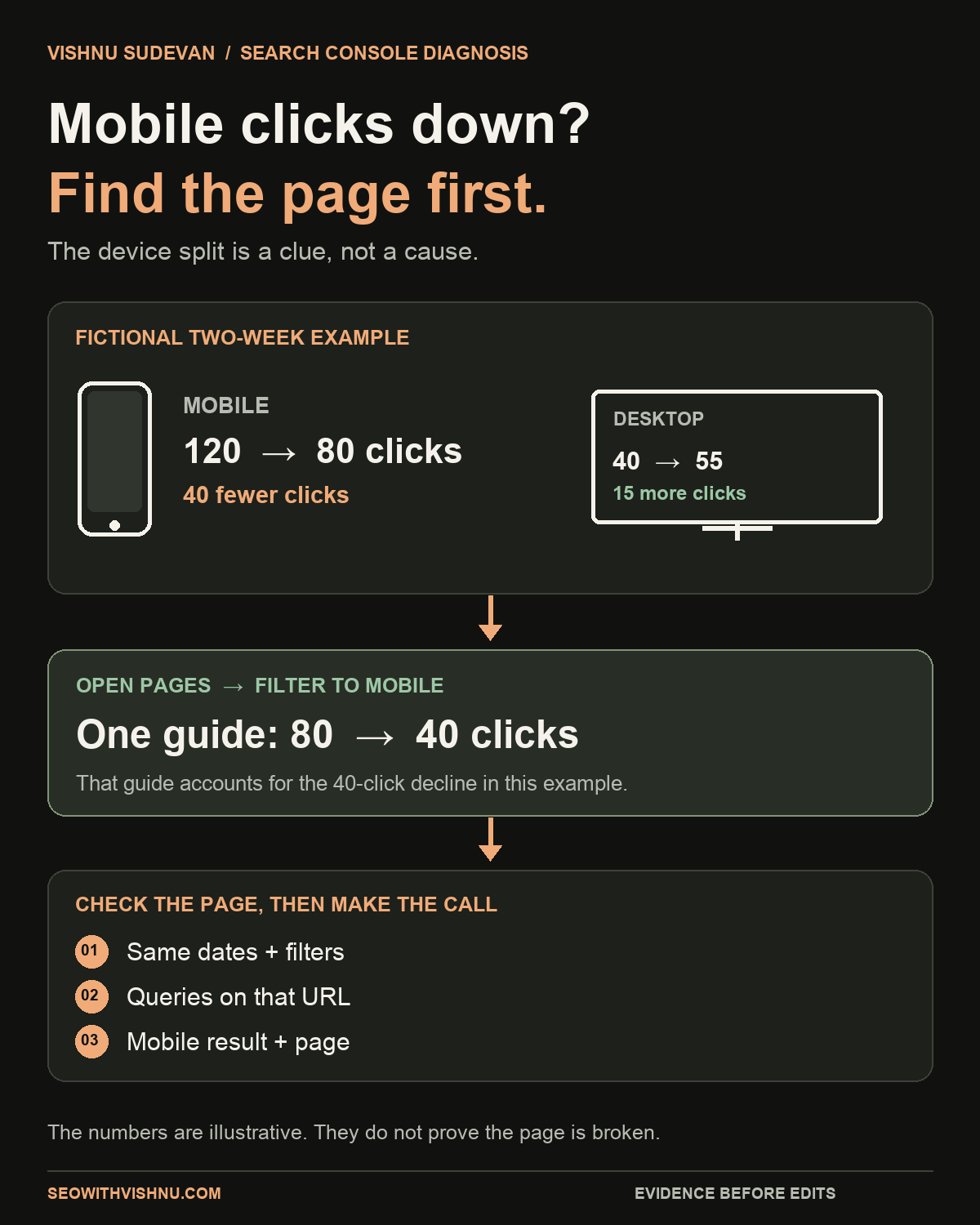
For an illustrative example, imagine these two complete weeks:
| View | First week | Second week |
|---|---|---|
| Site mobile clicks | 120 | 80 |
| Site desktop clicks | 40 | 55 |
| One guide's mobile clicks | 80 | 40 |
The guide accounts for the entire 40-click mobile decline in this example. That makes it the first page to investigate. It does not establish that the guide is broken or that desktop users replaced mobile users. These numbers are invented to show how to narrow the review; they are not a result from this site or a client.
If your site has only a handful of clicks, avoid treating a one- or two-click change as a trend. Keep watching and note what would make the pattern worth revisiting.
Read the query mix and the mobile result
On the affected page, compare relevant queries rather than only the page total. Did a main query lose impressions? Did a new broad phrase bring impressions but few clicks? Did the page begin appearing for a different task? Query rows may be incomplete because Search Console omits some searches for privacy; the page total and the visible query rows will not always reconcile. Google describes those data limits.
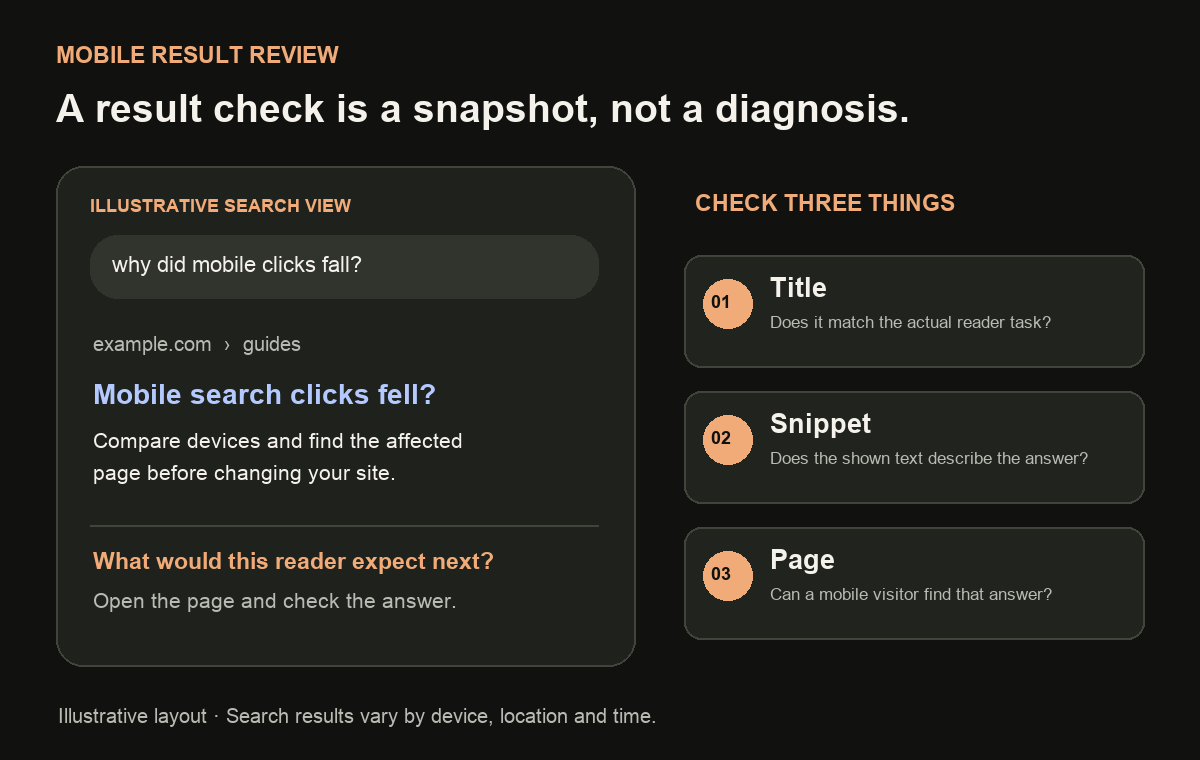
Then check representative mobile results in the market you serve. Look at the title and description Google shows, what else appears on the page, and whether the result matches what your page actually delivers. Search results vary by person, place, device and time, so your manual check is a snapshot, not proof of every searcher's experience.
If mobile impressions are steady but clicks fell for one important query, improving the result may be worth considering. Confirm that the title accurately describes the page before changing it. If the query now points to a different reader task, a title edit alone may not solve the mismatch.
Test the page when the evidence points there
If one URL is affected, open it on a phone or mobile viewport. Can a reader see the answer, use the navigation and reach the next step? Check for a broken layout, intrusive overlay, missing content or slow interaction. If you suspect performance, compare the same URL and device in PageSpeed Insights and distinguish lab tests from real-user data. My PageSpeed evidence guide shows how.
Do this page check because the report has pointed you to a page, not because every mobile click decline is a Core Web Vitals issue. A Search Console device comparison does not measure whether visitors could complete the task after clicking.
Record one decision you can review later
Keep a short note with:
- Comparison: exact complete dates, search type, country and device.
- Affected page and queries: the URL and phrases that explain most of the change, if visible.
- What you checked: mobile result, page experience and any technical evidence.
- Decision: fix a verified issue, improve the result or content, investigate further, or wait for more data.
- Review date: when you will compare the same view again.
A mobile decline at the property level is an alert, not a repair instruction. Narrow it to a page and reader task first. If the first pattern is rising impressions with flat clicks instead, use this Search Console guide to examine that situation.
For a drop that is not limited to mobile, start with the Search Console diagnosis guide and select the matching report check.
If you need help deciding which page deserves investigation, book a 30-minute SEO discussion and bring the two date ranges and affected URL. That gives us something concrete to work from.
Sources: Google Search Console Help on device comparison, Performance metrics, preliminary data and anonymised queries. Numeric example is fictional. Checked 6 November 2026.

Senior SEO, AEO & GEO consultant and practitioner. I write about search strategy, the tools I build and lessons from hands-on work.
More about my work →Need help with a wider search challenge? Explore SEO consulting.